
GDPR Compliance
Here at Hilo, we’ve always cared deeply about our users’ data privacy and security. Below are the tools and policies we have released within the system to help our users stay compliant with the new GDPR regulations, as well as key terms you should be aware of.
What is GDPR?
“GDPR” (General Data Protection Regulation) means the EU Regulation of the European Parliament and of the Council of 27 April 2016 on the protection of individuals with regard to the processing of personal data and on the free movement (export) of such data.
Does GDPR apply to me?
If you operate in the EU, yes. If you operate outside of the EU but you collect personal information for residents of the EU, GDPR also applies to you. Please read on!
What is personal data?
Personal Data is any information collected that can identify an individual. It is not just name and email address, but also includes (for example) gender, sexual orientation, political affiliation, etc.
Am I a Controller or a Processor?
The 2 roles referenced in GDPR are Controller and Processor.
- Controller (this is you) - means the entity which determines the purposes and means of the Processing of Personal Data. You are responsible for the personal data you collect and for determining how that data is processed by the processor. For more information on your responsibilities as controller please visit - https://gdpr-info.eu/art-24-gdpr/.
- Processor (this is Hilo) - means the entity which Processes Personal Data on behalf of the Controller. We process data on your behalf. You are responsible for ensuring that the data is obtained lawfully and there is a compliant basis for processing under these regulations.
What features are available in Hilo to help me stay GDPR compliant?
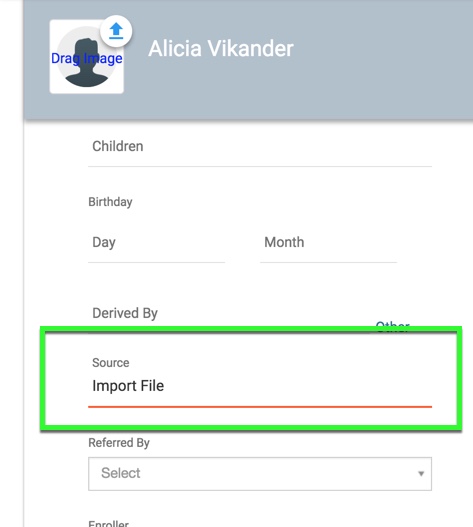
Contact Source Fields - keep track of the source (import, opt-in webform, etc.) of your contacts in the contact detail records.
To request a contact's consent to process their data use the GDPR replacement tag in an email you compose. This will allow the contact to click the link inserted into the email via the replacement tag, and by doing so, the radio button in the contact's detail record for GDPR Compliance will be logged as "Yes" and the GDPR Compliance Notes will indicate that consent was given via opt-in link.
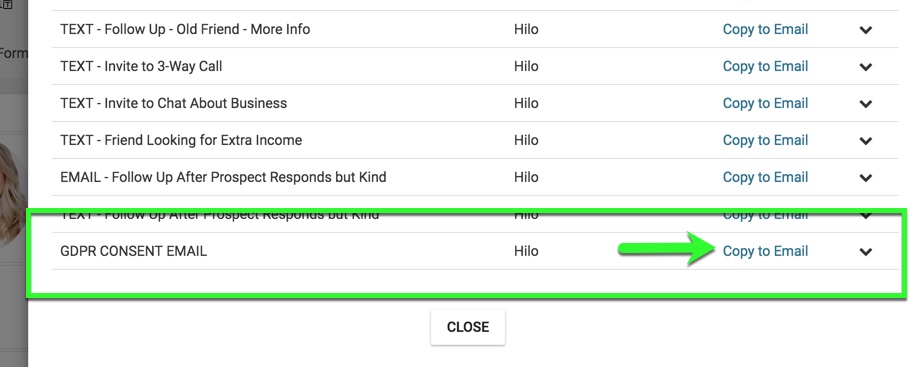
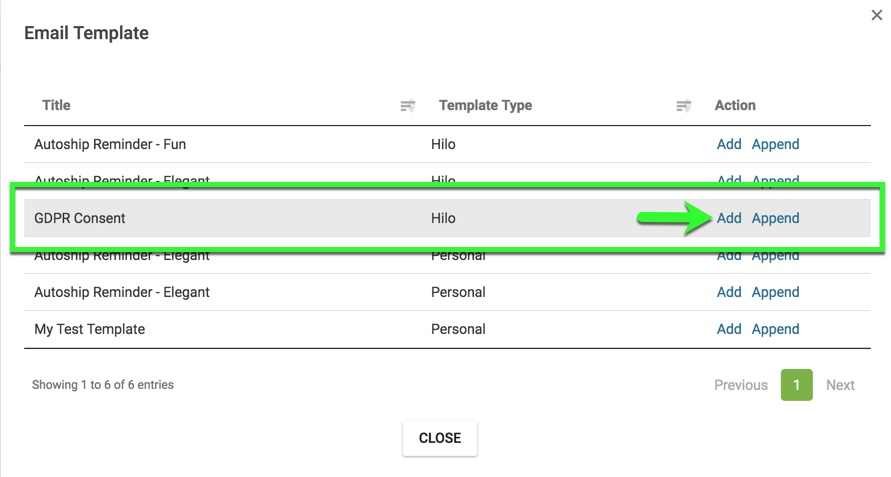
If you would prefer to not write your own message, we have also created a Hilo script called "GDPR CONSENT EMAIL" and an email template called "GDPR Consent" which already contain your GDPR opt-in link and can be sent to your contacts to obtain their consent.
Click the "Scripts" button once you open a new email to reveal your list of available Scripts:
Click the "Email Templates" button once you open a new email to reveal your list of available Templates:
Hilo as Controller
Hilo operates as a controller with our user’s personal data - i.e. your personal data. We are committed to full transparency so, the personal information we process for you is:
First name, last name, email address, country, billing address (if you are a paid subscriber), phone number
Hilo uses this data to serve you in a support capacity (helpdesk tickets and content), notify you of updates to the product, sales and promotions, and to bring you valuable content on how to grow your business.
Right to Access and Rectify
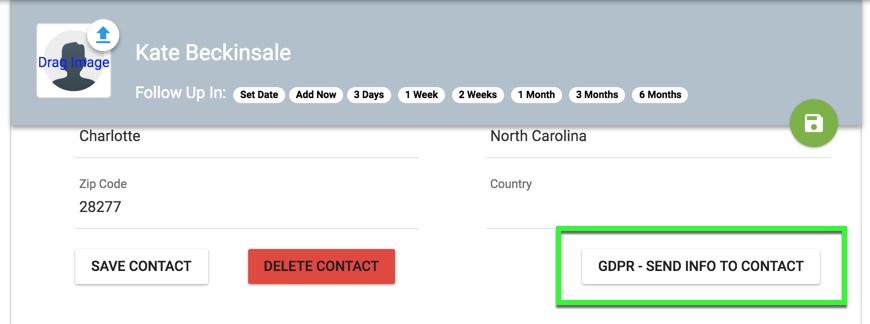
Easily send your contacts the personal information you collect to review or rectify using the “GDPR - Send Info to Contact” button in the Contact’s Detail record. This will send an email directly to the contact and allow them to contact you should they choose to change or delete any information.
Right to Data Portability
All Hilo customers can easily obtain an export of their data by creating a ticket under the category “Exports”.
Right to Restriction of Processing
When a contact exercises their right to restrict processing (unsubscribe), the system will no longer allow their data to be processed.
Right to be Forgotten
You can easily delete a contact’s information from Hilo by clicking the “Delete Contact” button at the bottom of the contact’s detail record.
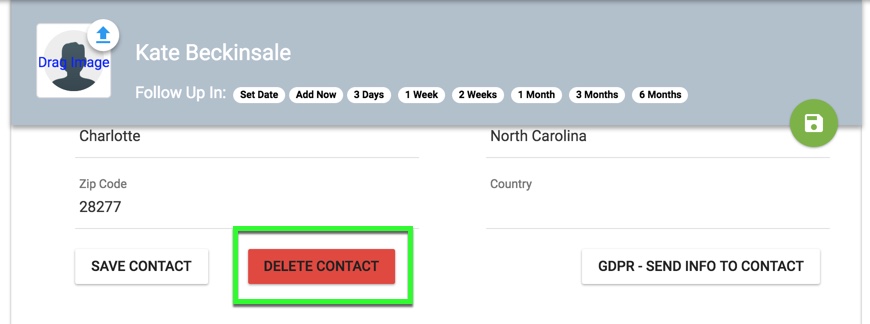
For you as a user to have your information and the contact data you have entered into Hilo permanently deleted, create a ticket under the category “Delete All Contacts Request”.
Comments
0 comments
Please sign in to leave a comment.