
To subscribe to a plan in Hilo:
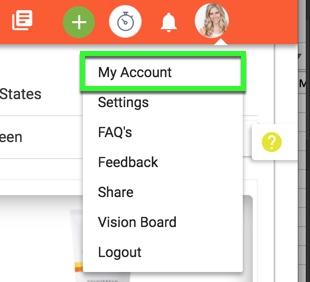
1. Hover over the profile pic icon and click "My Account".
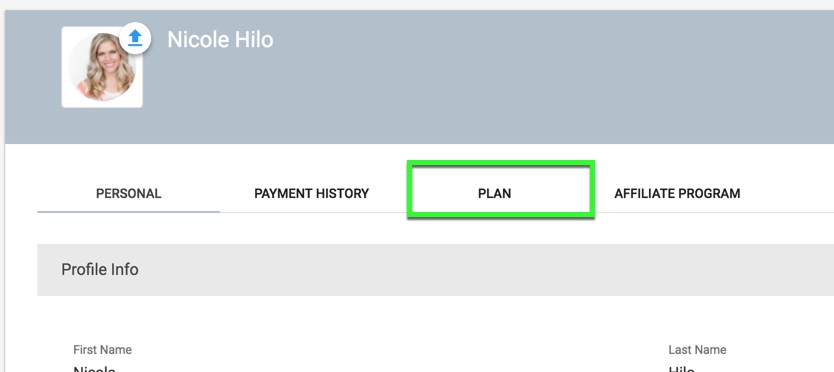
2. Click the "Plan" tab.
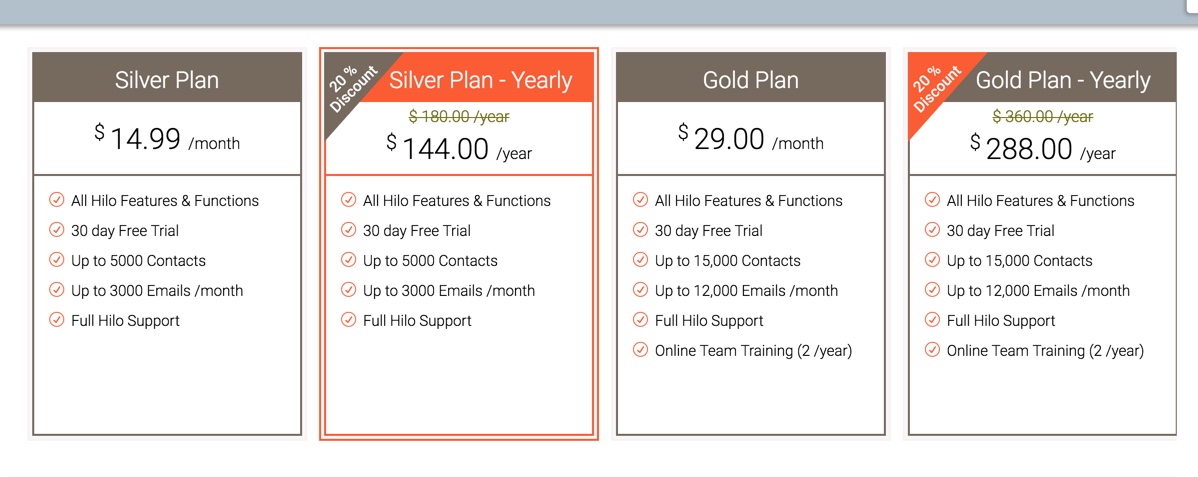
3. Choose one of the 4 plans available by clicking on the plan icon. It will be highlighted orange when selected.
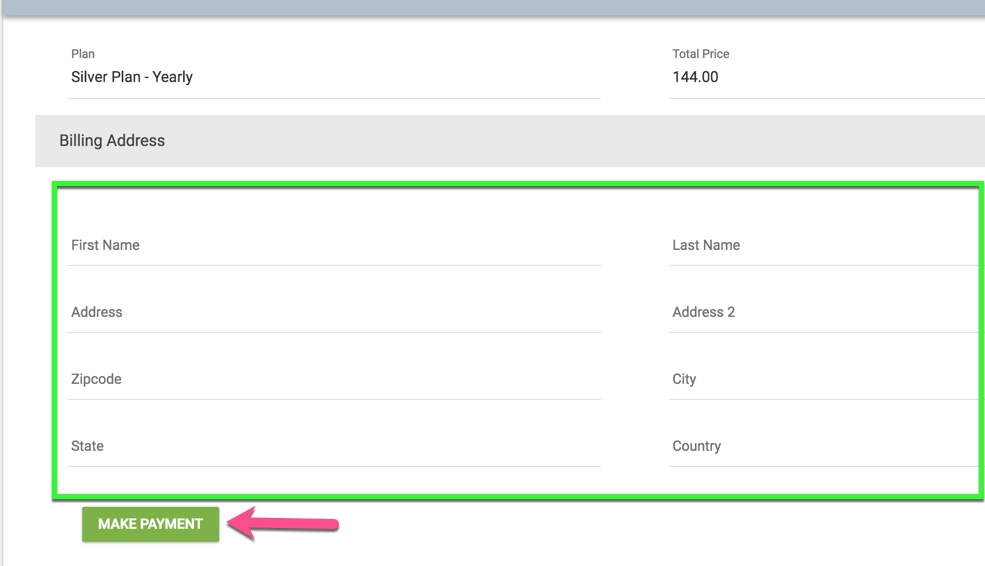
4. Fill out the Billing Address information and click the "Make Payment" button. This will bring up a modal window for you to enter your credit card information and process your payment.
Comments
0 comments
Please sign in to leave a comment.