
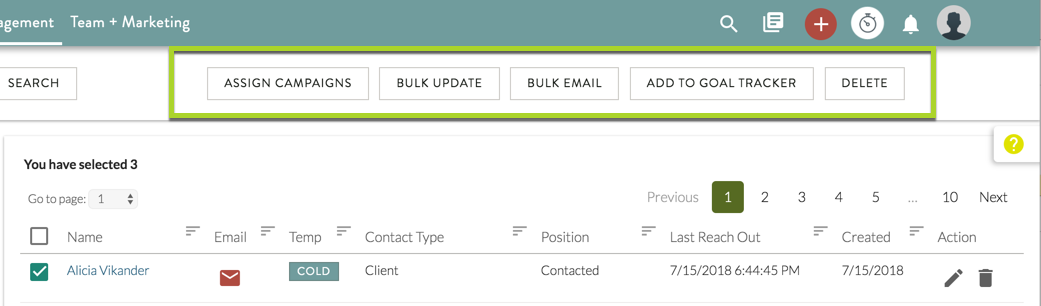
The bulk actions Hilo allows users to perform are:
- Assigning campaigns
- Sending Emails
- Editing Common Fields (Contact Type, Tags, Pipeline, etc)
- Add Contacts to the Goal Tracker Queues
- Delete contacts
To perform a bulk action:
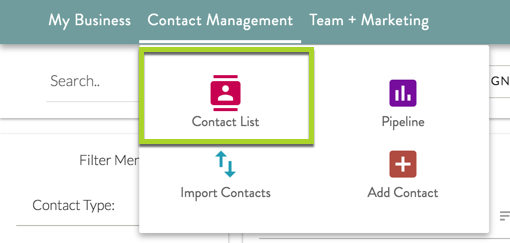
1. Go to the Contact List Page.
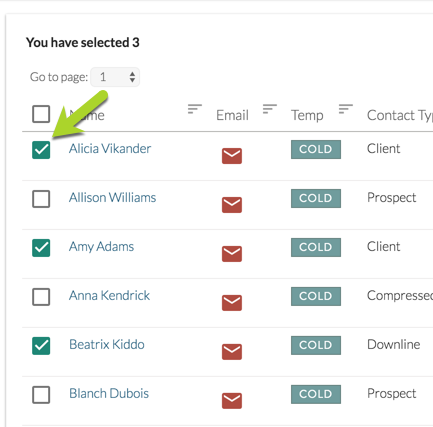
2. Select the contacts you would like to perform the bulk action for by clicking the check boxes next to their names.
3. Select the bulk action you would like to complete - Assign a Campaign, Edit a Field, Send a Bulk Email, Add Contacts to the Goal Tracker Queues, or Delete.
Comments
0 comments
Please sign in to leave a comment.