
To see a preview of your email templates created in Hilo:
1. Go to the Email Templates page
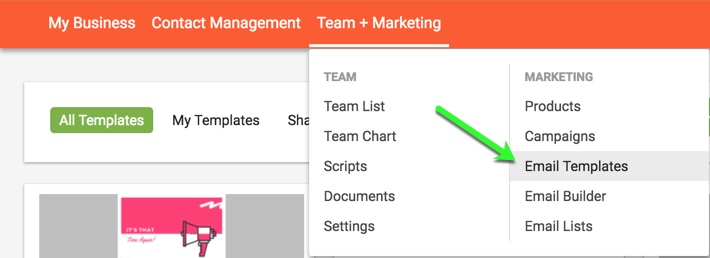
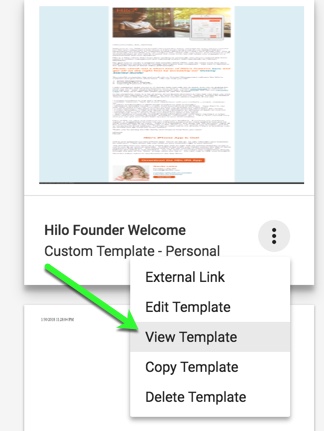
2. Find the template you would like to share and hover over the icon at the bottom right corner of the template tile and click "View Template".
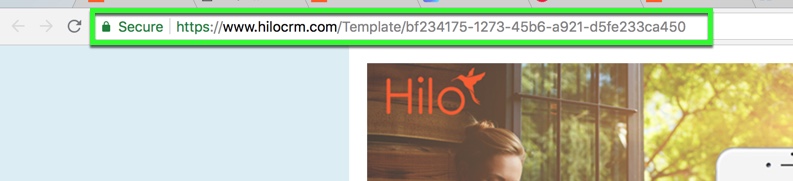
4. This will open another tab in your browser with the template as a webpage. To send the template to someone as a link, highlight the entire URL link and click CTRL + C to copy the URL.
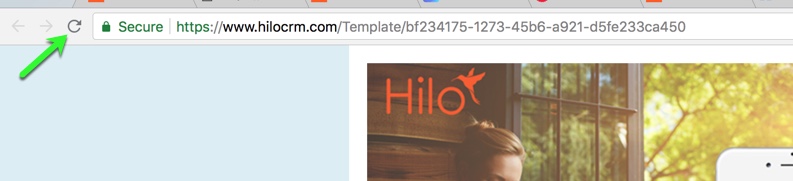
5. You can also leave this tab open while you create a template. Clicking the "refresh" button after you save will show the changes you've made since the last version.
Comments
0 comments
Please sign in to leave a comment.