
Each user account in Hilo has a unique BCC email address. This address is used to track emails sent from other email accounts like Gmail, Outlook, etc.
The way it works is when you are sending or replying to an email from your other email account (Gmail, Outlook, etc.), you can enter your unique BCC address into the BCC field and Hilo will save a copy of that email in the contact detail of the contact the message was addressed to.
To find your unique BCC address:
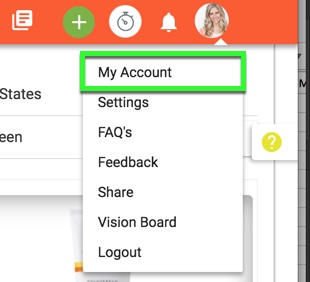
1. Go to My Account
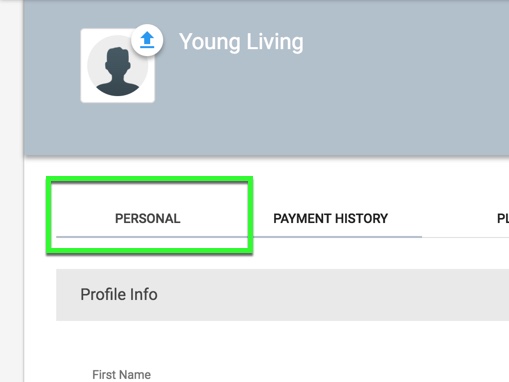
2. Choose the Personal tab
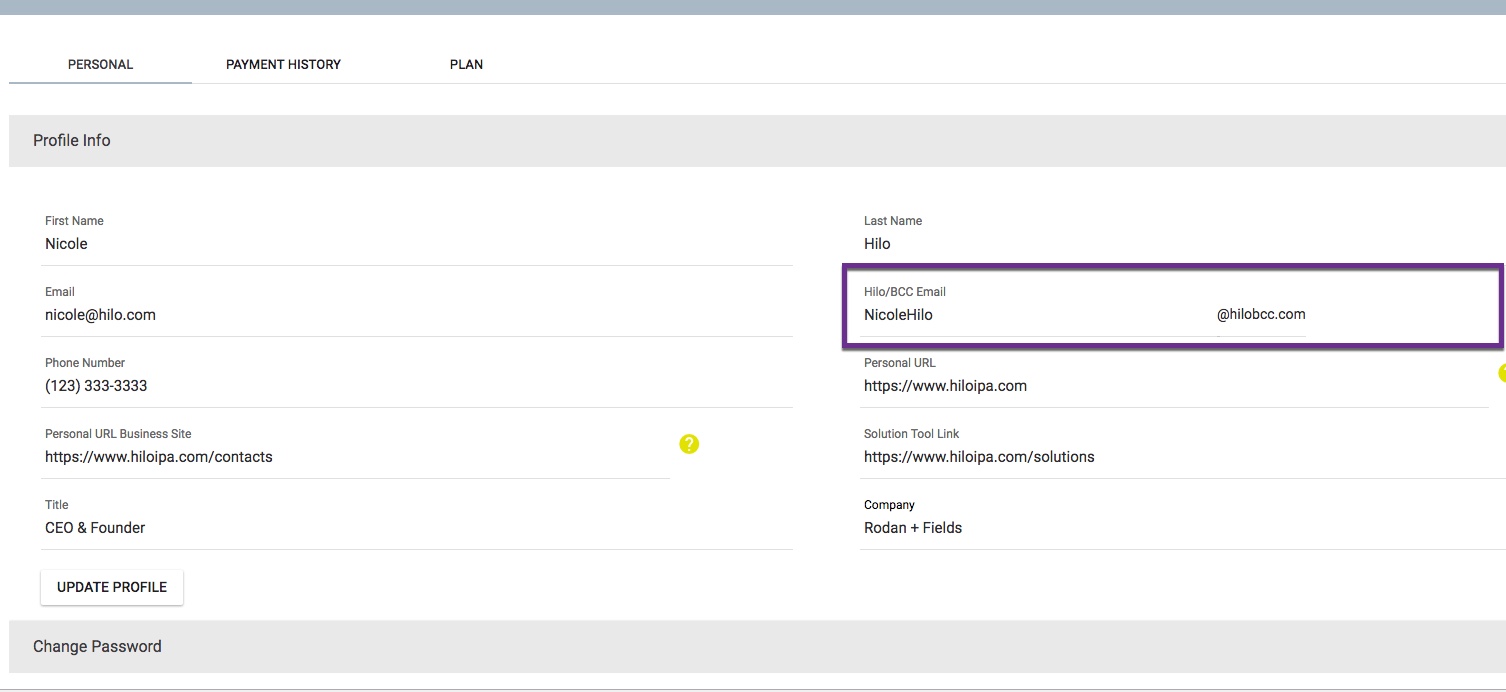
3. Find the Hilo/BCC Email line and type that address into the BCC line of your response email
Comments
0 comments
Please sign in to leave a comment.