
To update your credit card or other billing info in Hilo:
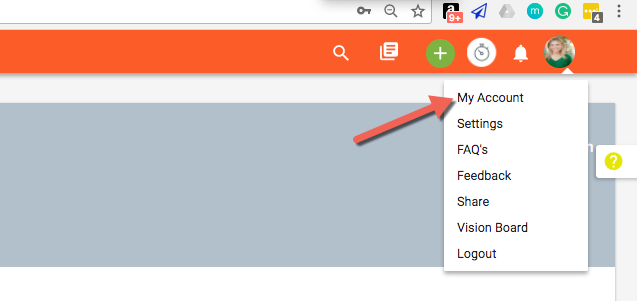
- Go to the "My Account" page
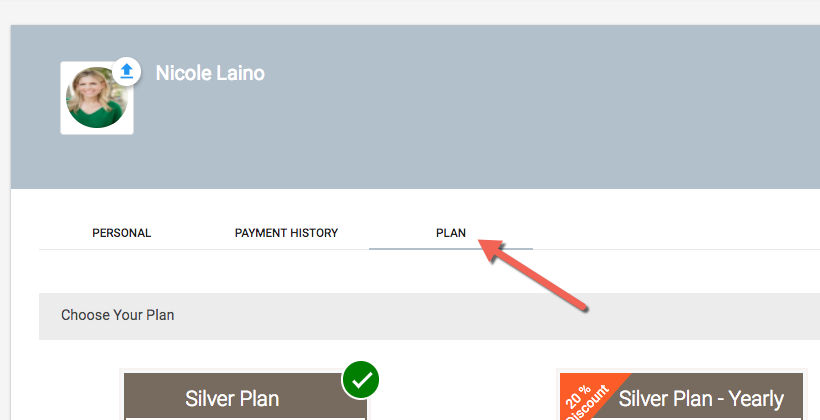
- Choose the "Plan" tab
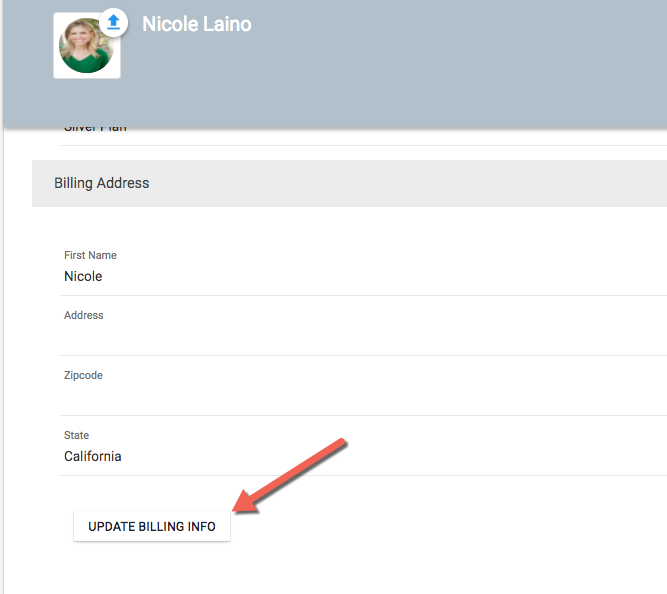
- Scroll to the bottom of the page and click the "Update Billing Info" button
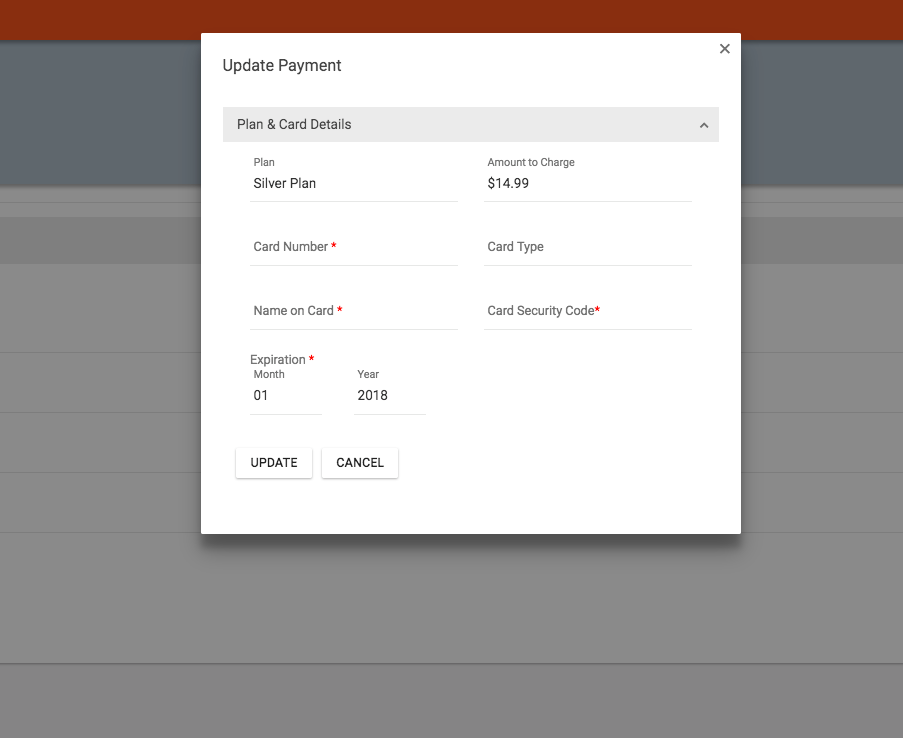
- This will bring up the Update Payment modal window for you to enter your new credit card information
Comments
0 comments
Please sign in to leave a comment.