
To view campaign assignments:
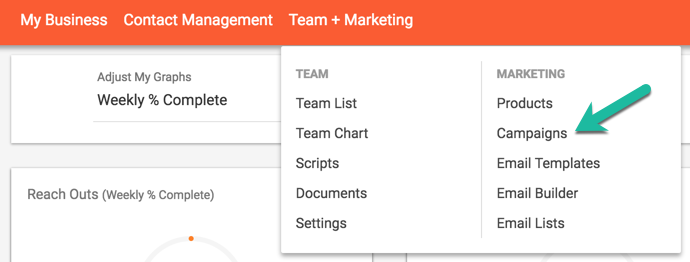
1. Go to the Campaigns page, under the Team + Marketing section of the header bar.
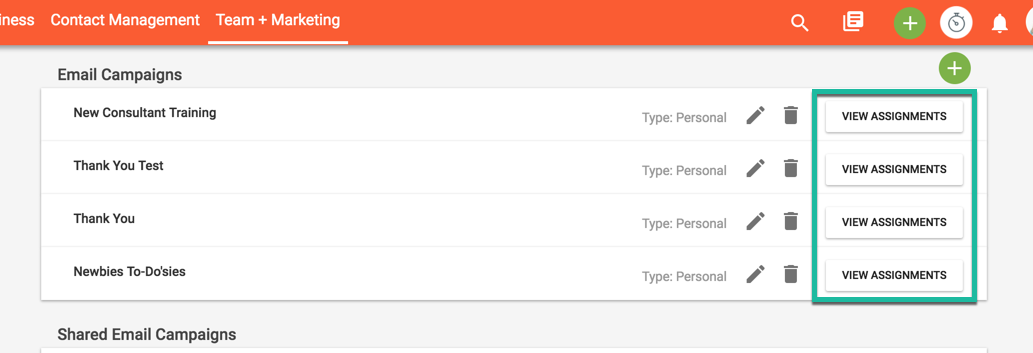
2. Click the "View Assignments" button next to the appropriate campaign title.
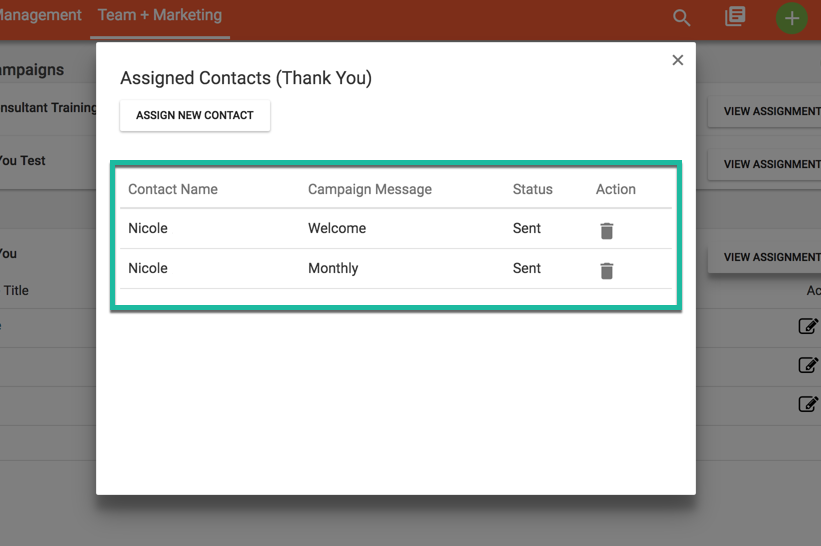
3. View the list of assigned campaign messages and their status in the window. To delete a campaign message, click the "trashcan" icon next to the appropriate message.
Comments
0 comments
Please sign in to leave a comment.