
When a contact is unsubscribed from your Hilo account, the system will no longer allow emails to be sent from Hilo's servers to that contact. You can manually unsubscribe and resubscribe contacts from your account to control this feature based on the wishes of your contacts.
To manually unsubscribe a contact from Hilo:
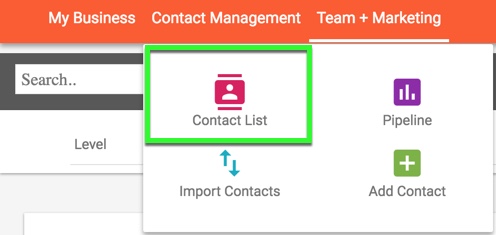
1. Go to the Contact List page
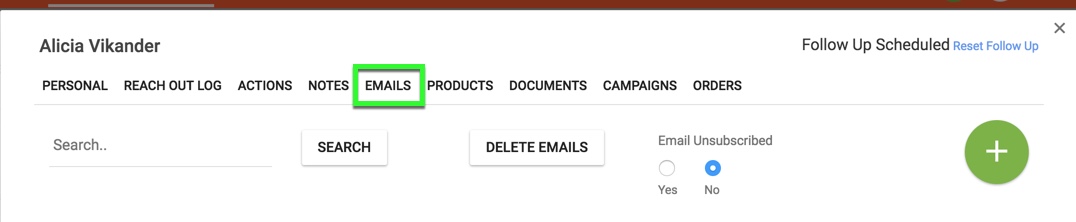
2. Locate the contact you would like to unsubscribe and click on that contact's name to open the edit contact modal. Select the "Emails" tab.
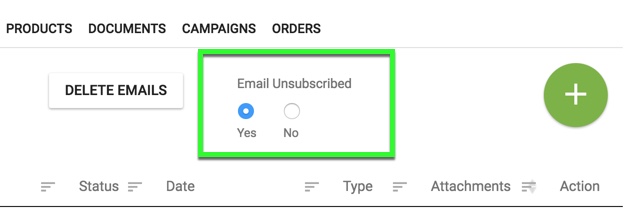
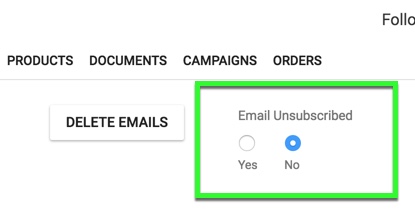
3. Choose the "Yes" radio button under the "Email Unsubscribed" header.
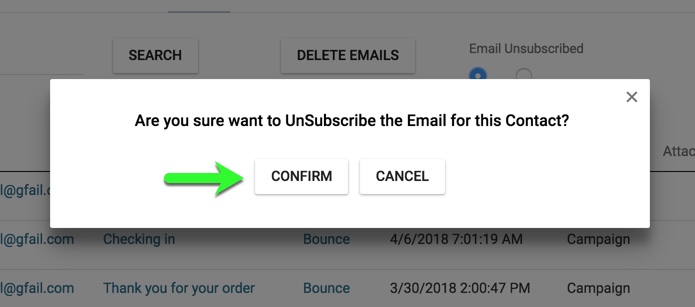
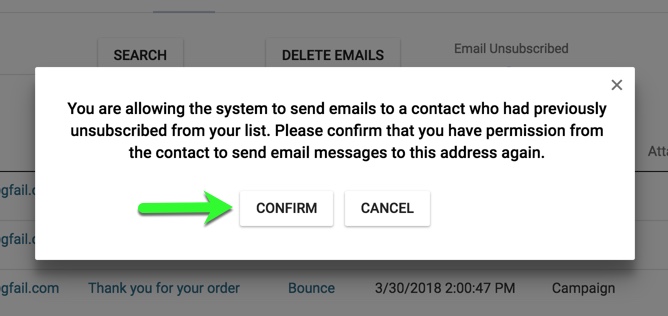
4. This will bring up a confirmation message. Please read and click confirm to unsubscribe the contact. You will no longer be able to email this contact from the Hilo system.
5. To resubscribe this contact and allow email messages to be sent to them once again. Click the "No" radio button under the "Email Unsubscribed" header.
6. This will bring up a confirmation message. Please read and click "confirm" to resubscribe the contact to your list.
Comments
0 comments
Please sign in to leave a comment.